Compliance software for care homesKitchenHousekeepingMaintenanceActivities
Do the tasks.
Keep the proof.
Fridge temperatures, room cleans, fire doors, the afternoon’s activities. Done on a phone in a minute or two, signed by whoever’s on shift. Managers watch it land as it happens, and when an inspector turns up, one button builds the pack.
We set you up, and your 30-day free trial starts then.
- Nobody can rewrite a record
- Keeps going when the signal drops
- Unlimited people
- Four teams, one account
- From £35 per site, per month
Everything a team needs, in one account
 Checks
- Rooms
 Jobs
Jobs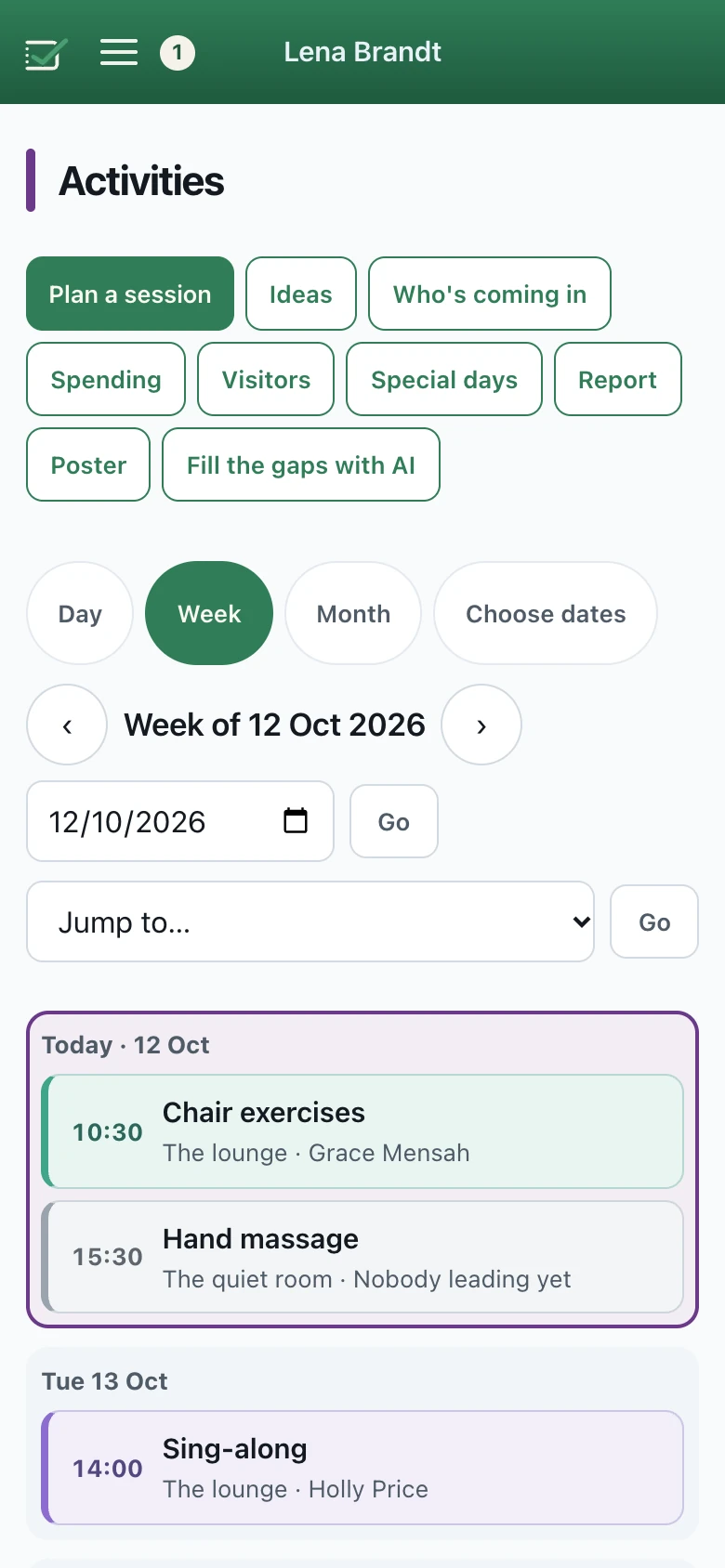 Activities
 COSHH
COSHH Allergens
 Documents
 Handover
One home, four teams. Or any kitchen at all.
Each team gets the tools its own job needs, and the checks for its work are already written, waiting to be copied. The four sit side by side in one account, show up on the same dashboard, and come out in the same audit pack.
Care - Kitchen
The fridge round, cooking temperatures and allergens, plus the paperwork both the EHO and CQC ask for.
See how it fits →Care - Housekeeping
Every room signed off by the person who cleaned it, plus the laundry, the sluice and the COSHH register.
See how it fits →Care - Maintenance
Water temperatures, fire doors and the jobs board, with certificates that don’t lapse quietly.
See how it fits →Care - Activities
The week's programme, what really happened at each session, and the paperwork for everyone who comes in to run one.
See how it fits →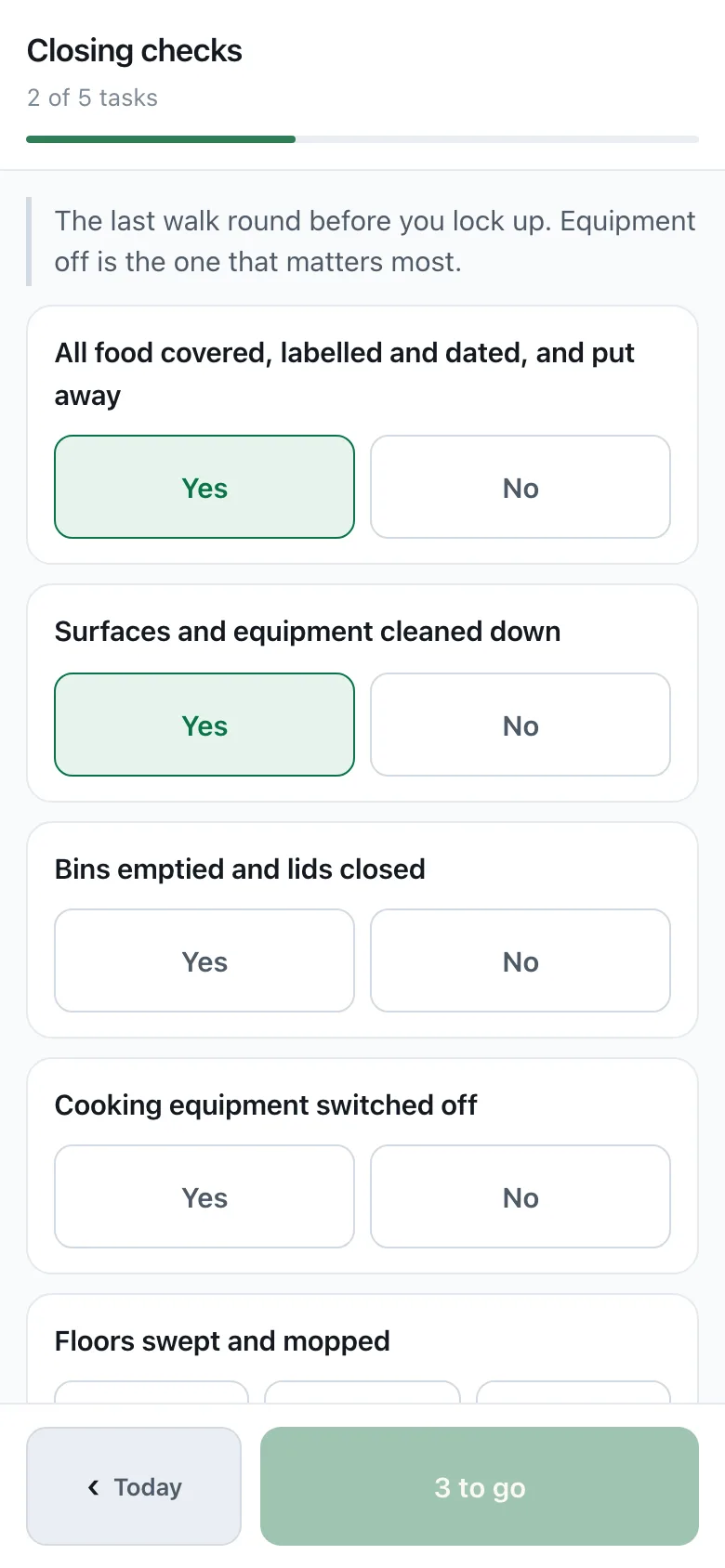
Kitchens everywhere else
Pubs, schools, hotels, restaurants. Same food safety checks, same EHO, same proof at the end of it.
See how it fits →Here’s the day, as the app recorded it
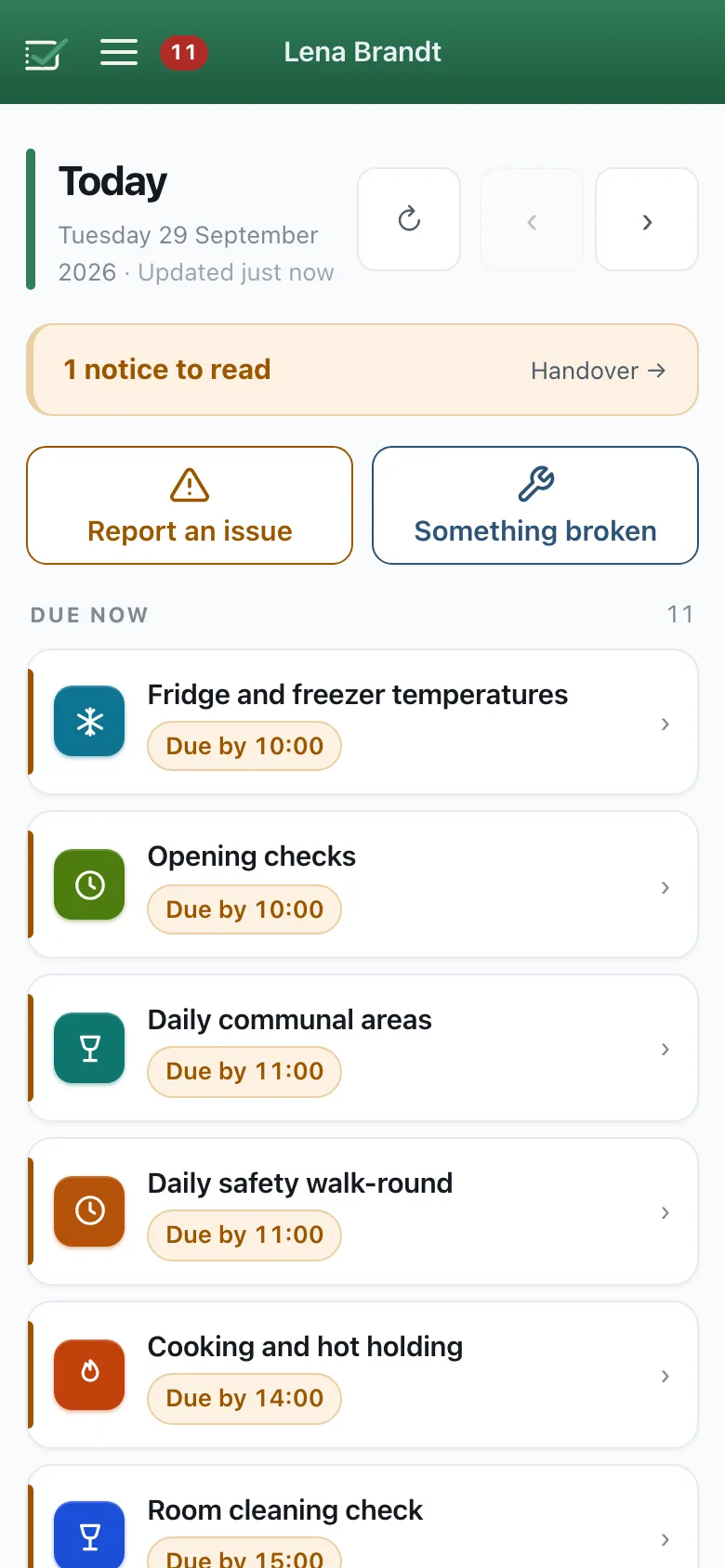
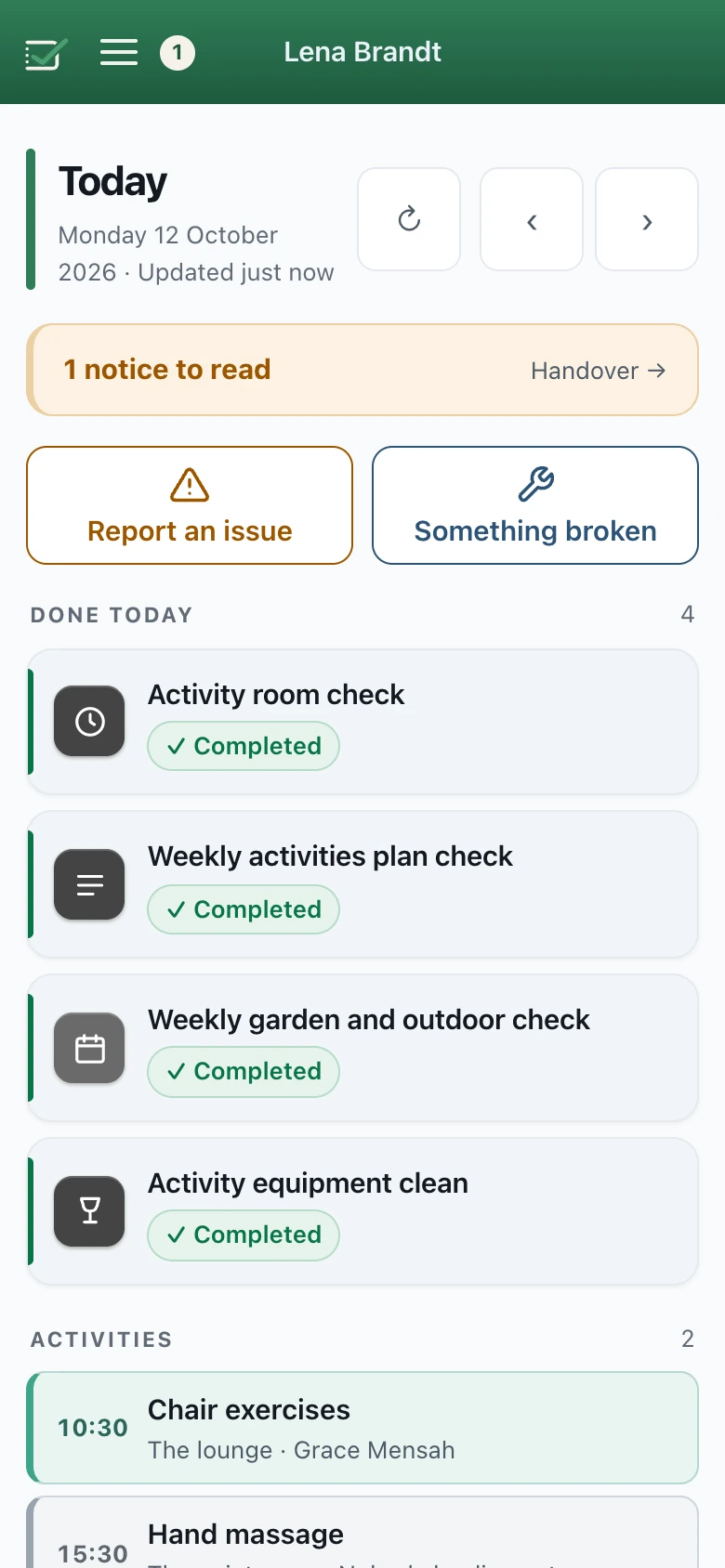
The Today screen up there is one home’s Monday. Fridges and opening checks by 10:00, a safety walk-round by 11:00, a room clean by 15:00. Four teams, one list each. This is how those hours actually went.
Real screens from the app, but the home in them is made up. Maple House, its staff and its readings all came from a demo we built.
Care - Kitchen
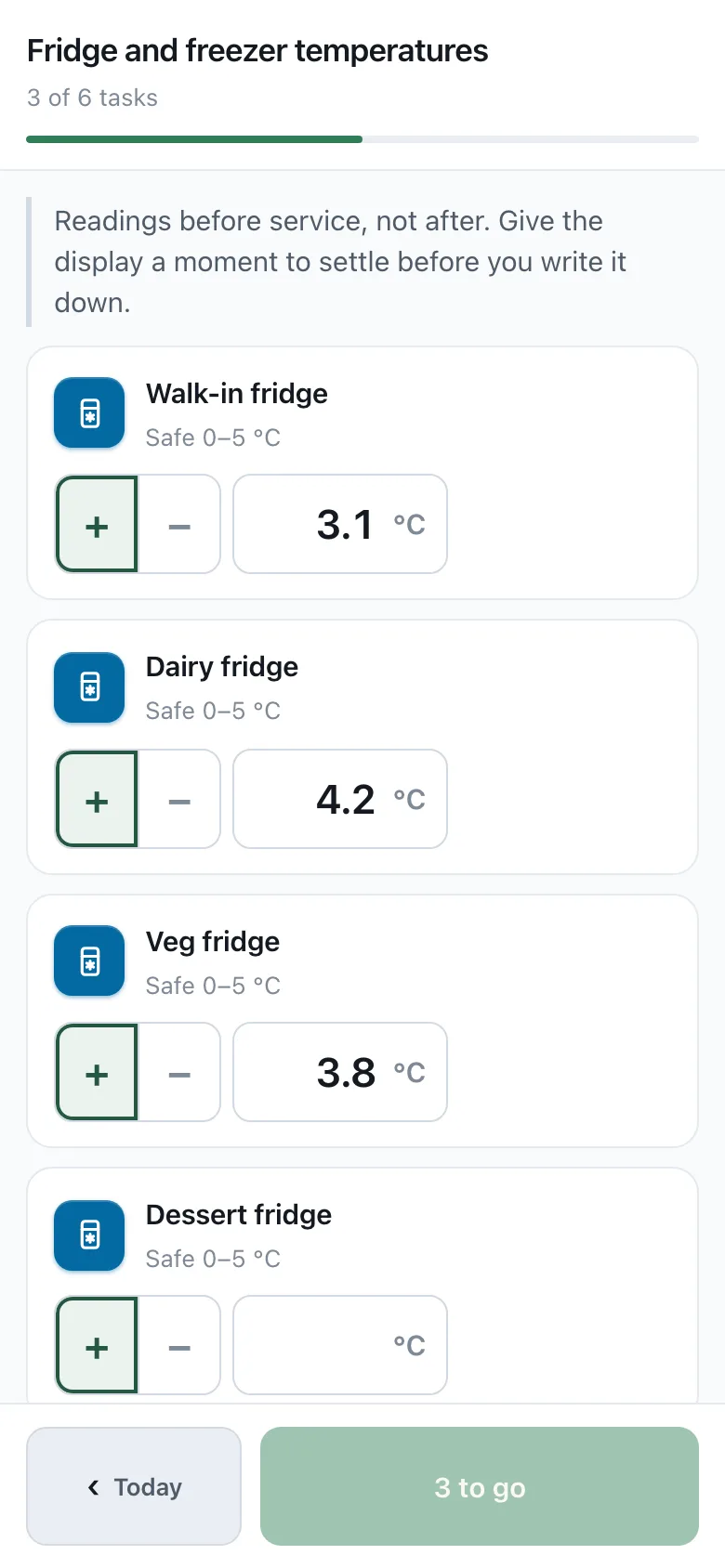
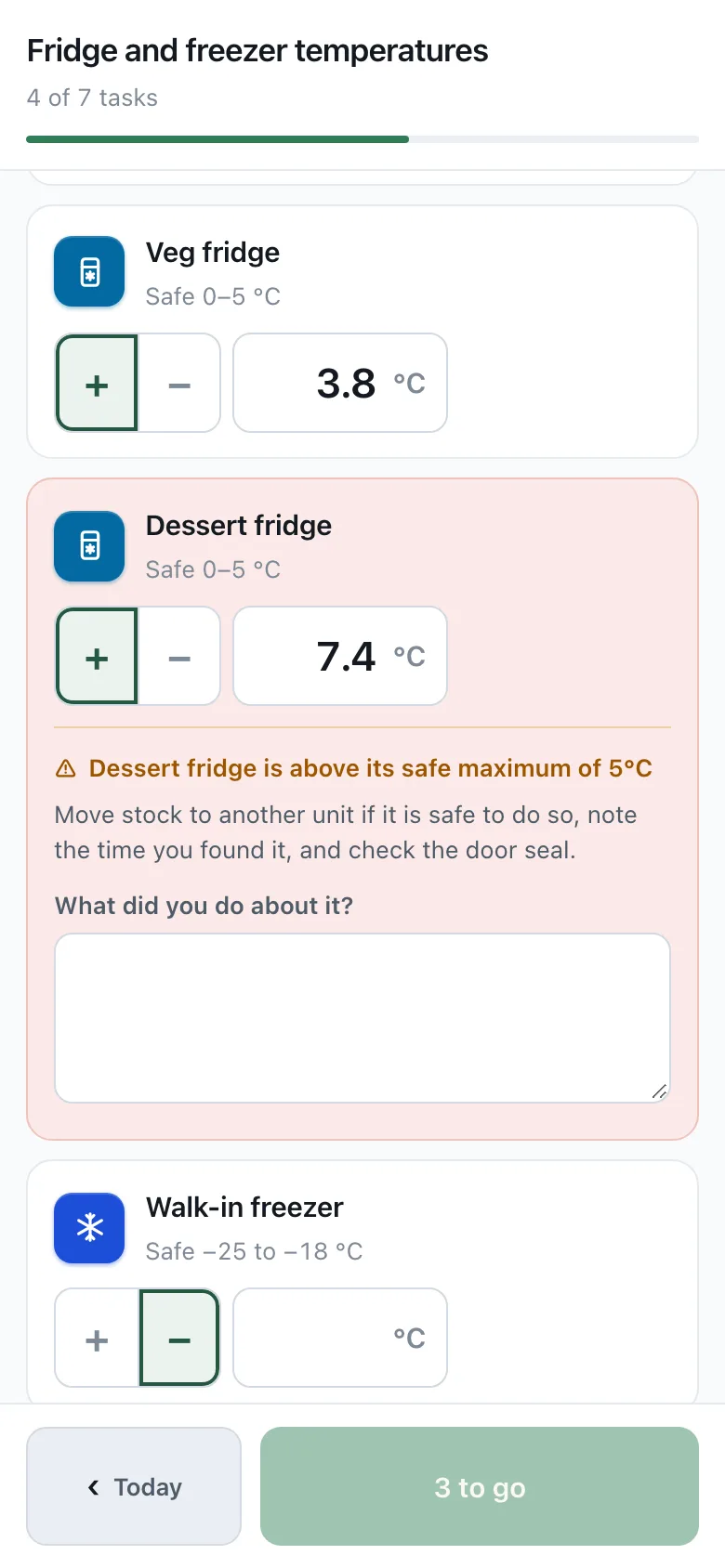
Six fridges, before the first delivery
Big plus and minus buttons, because nobody takes a glove off for a keyboard. The walk-in reads 3.1°C, dairy 4.2°C, veg 3.8°C, each against the safe range you set for it.
- A warm one doesn’t just go red. The dessert fridge reads 7.4°C, so the screen says what to do about it. Then it asks the bit nobody remembers to write down: what did you actually do?
- A dropped signal doesn’t stop the round. You’ll want wifi, same as you do for anything else. But a walk-in or a cellar doesn’t stop you. The check waits on the phone and goes up when you’re back in range.
Care - Activities
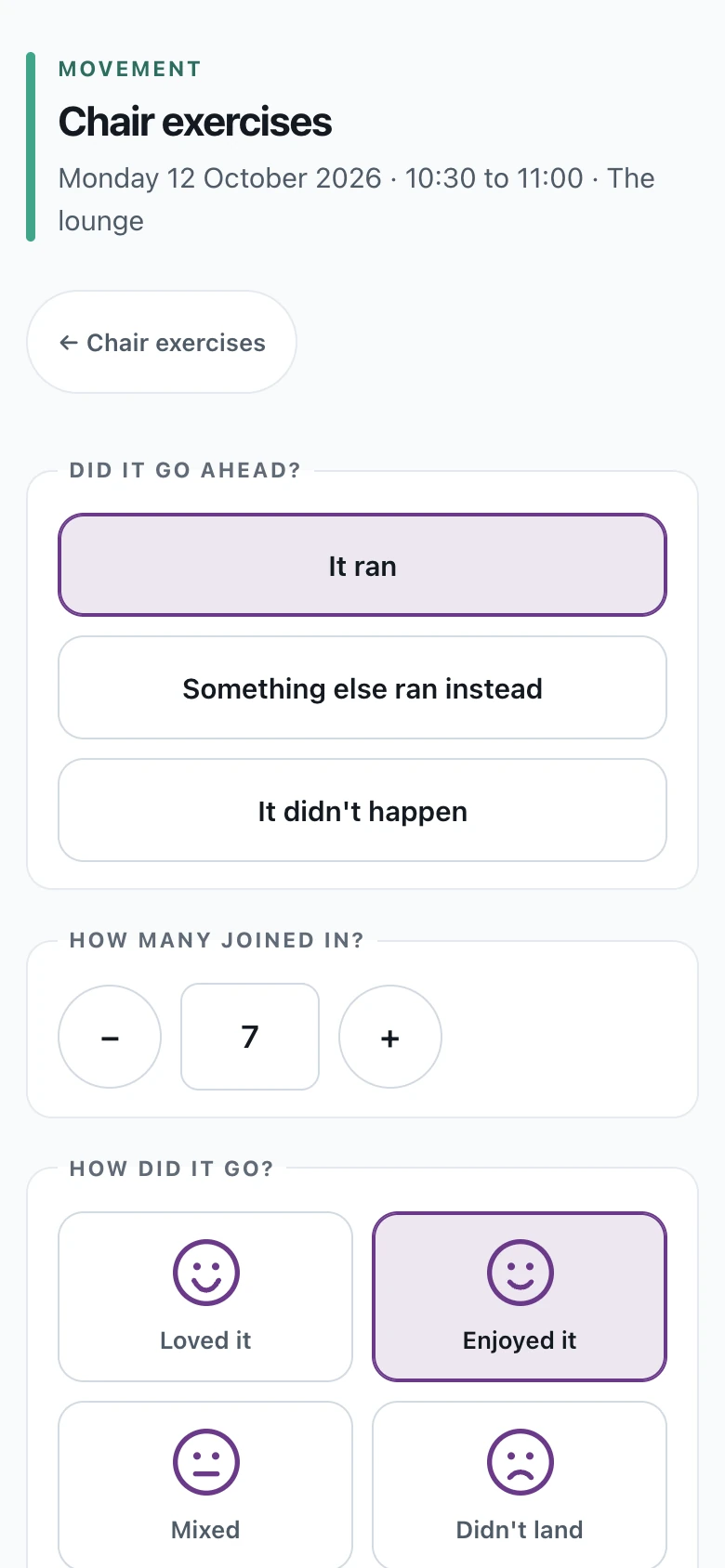
Chair exercises in the lounge, written up in three taps
Did it go ahead, how many joined in, and how it went, picked from four faces. Grace Mensah led it. The app keeps who led a session and who wrote it up apart, because they are often not the same person.
- Counted, never named. Seven joined in. TaskProof holds no resident records of any kind, and a session record never names anybody taking part. What it shows is that the programme you planned actually happened.
- The checks around it count too. The room checked before the first session, the equipment cleaned after the last, the week’s plan up where people can read it. All four of those were done and signed that Monday too.
Care - Maintenance
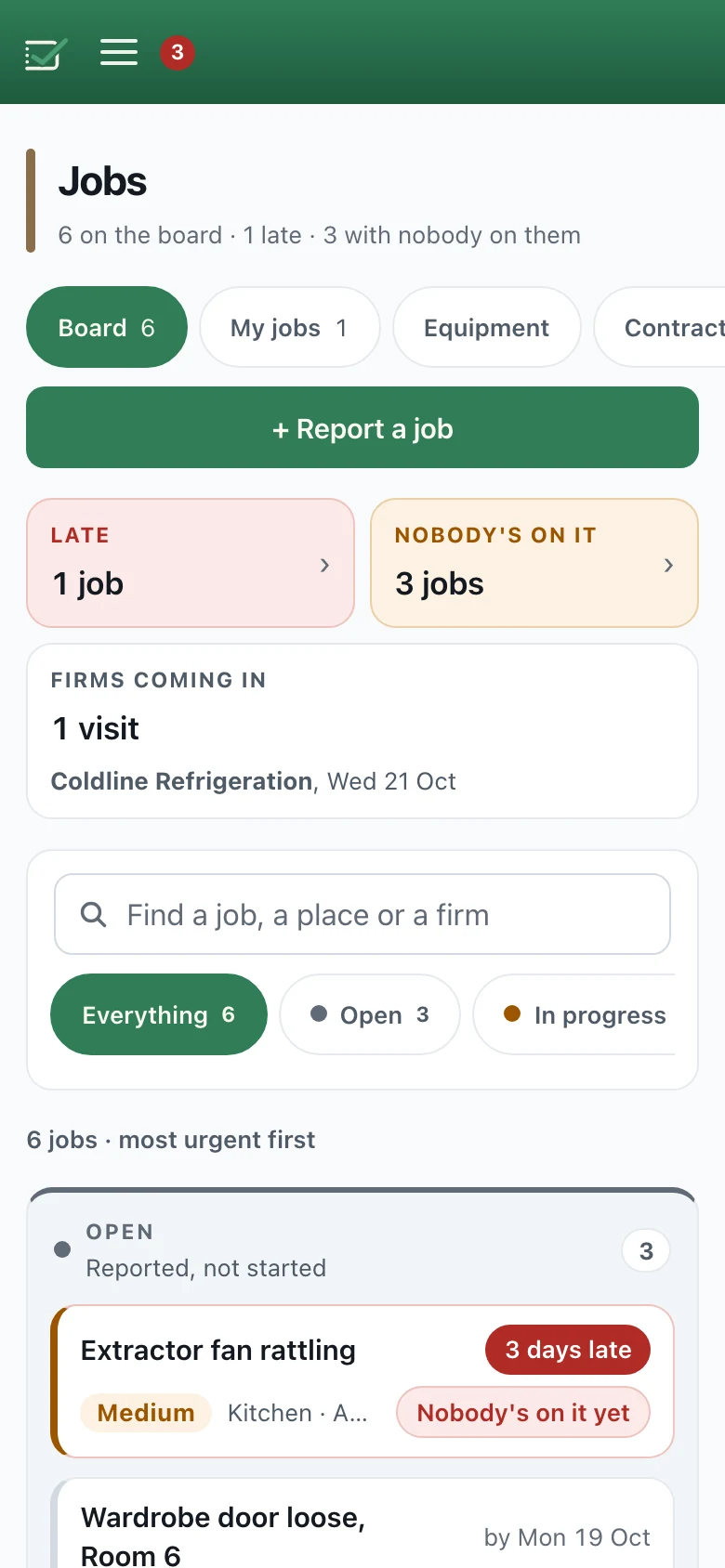
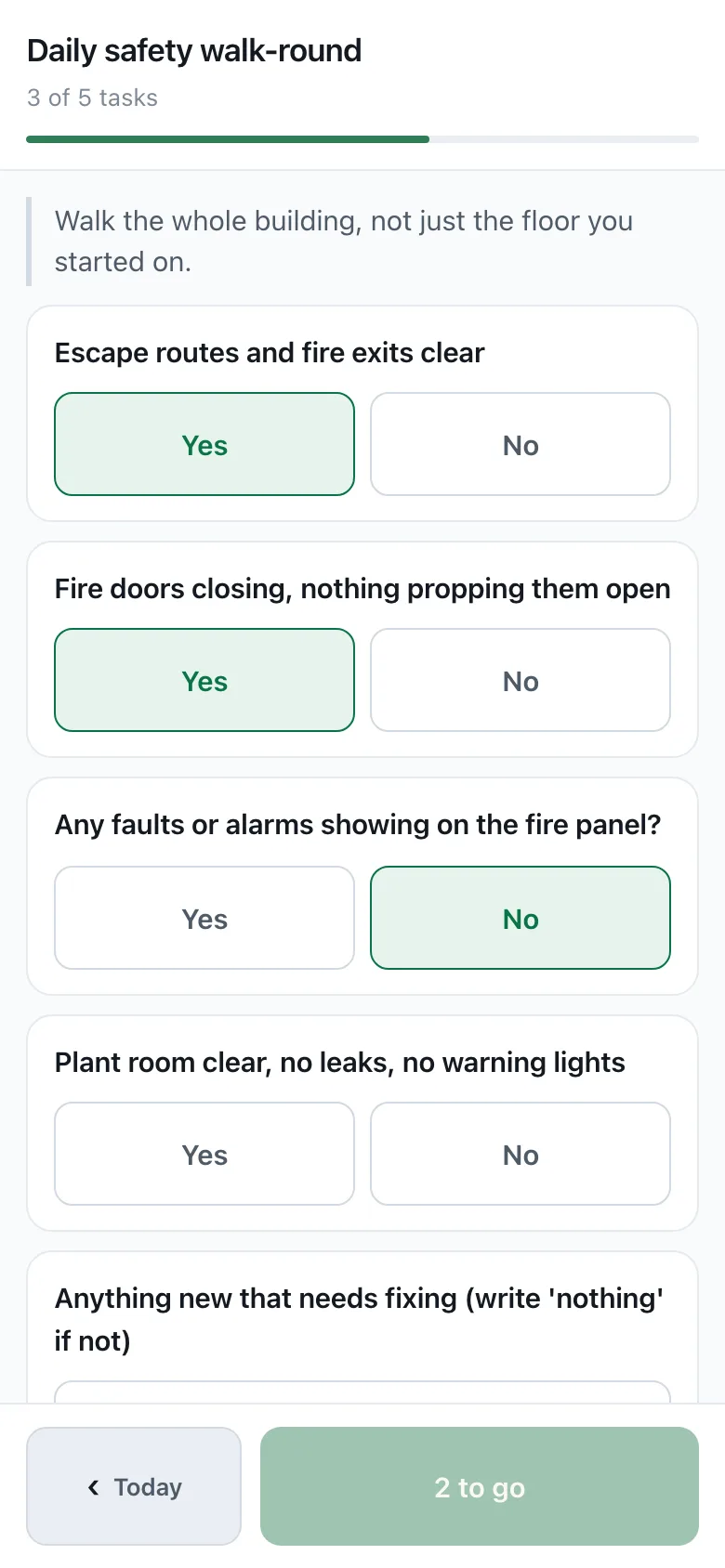
Fire doors, and the fault somebody spots on the way past
Escape routes clear, fire doors closing with nothing propping them open, no faults on the panel. Three of five, with the plant room still to walk.
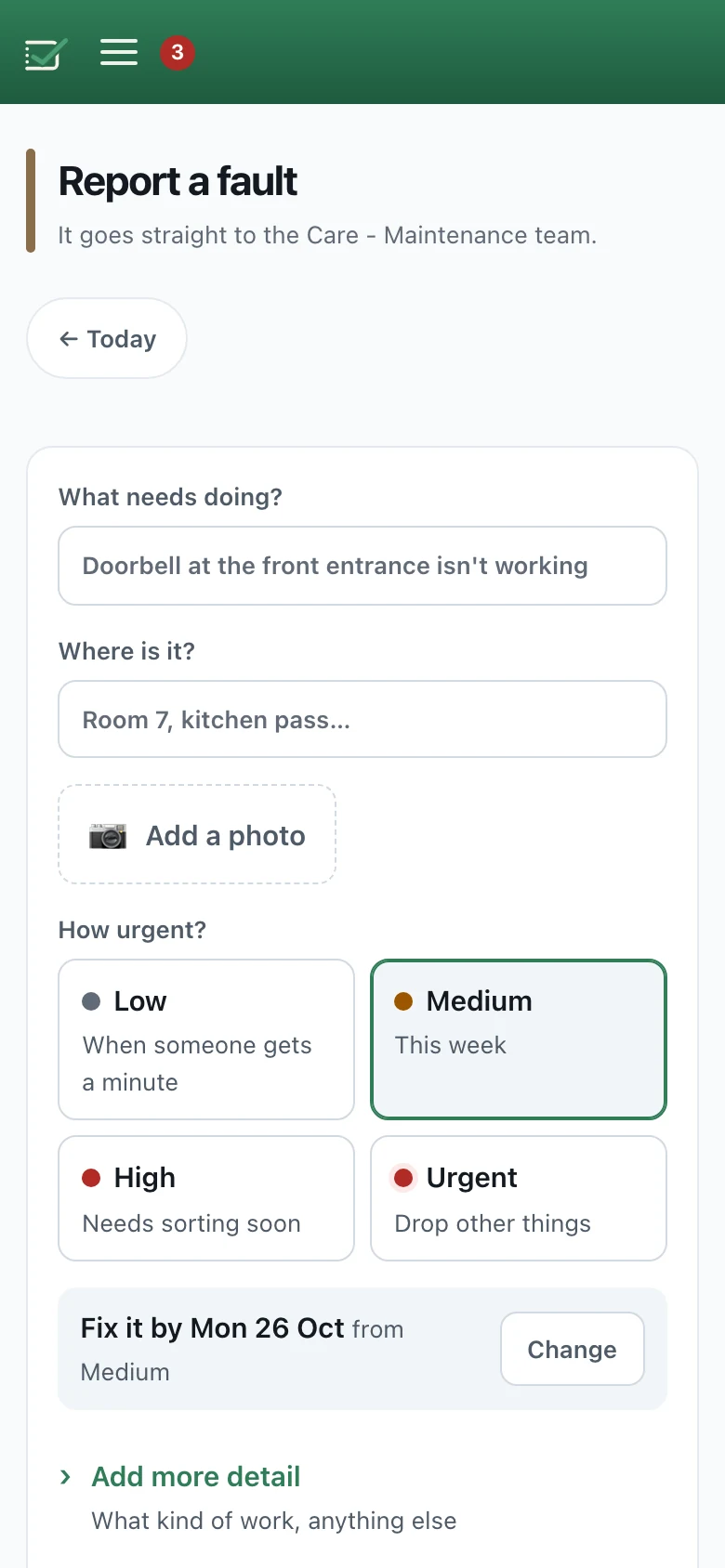
- Anyone can report, from their own screen. What needs doing, where it is, a photo if it helps, and how urgent it is, in words rather than a number. Low means when someone gets a minute. Urgent means drop everything else. The date it has to be fixed by follows from that, and whoever reported it can watch it move along: reported, someone’s on it, fixed.
- Reminders chase what’s due. Weekly fire checks, monthly emergency lighting, the water temperatures. The certificate that expires in a drawer is the one that catches people out, so documents get expiry reminders too.
Care - Housekeeping
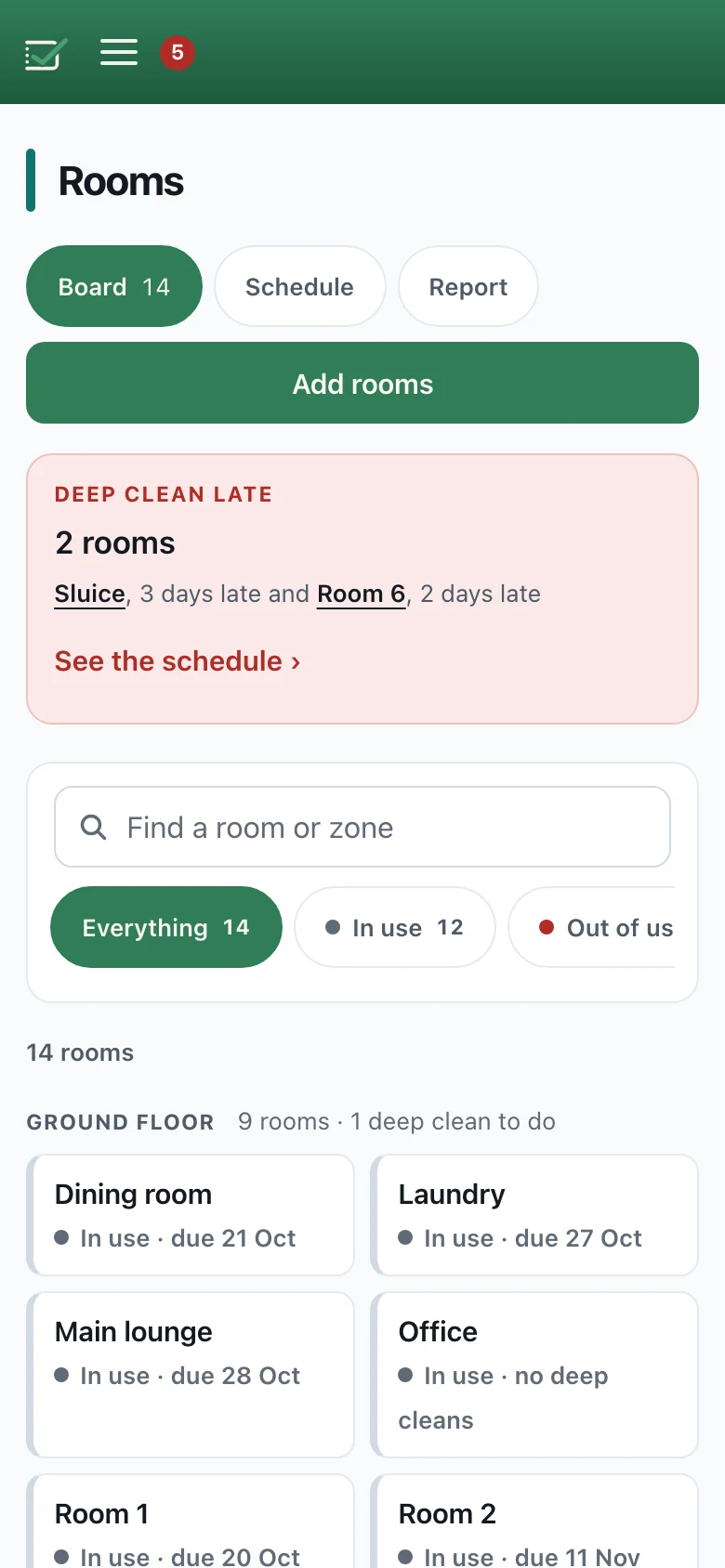
Fourteen rooms, and two deep cleans already late
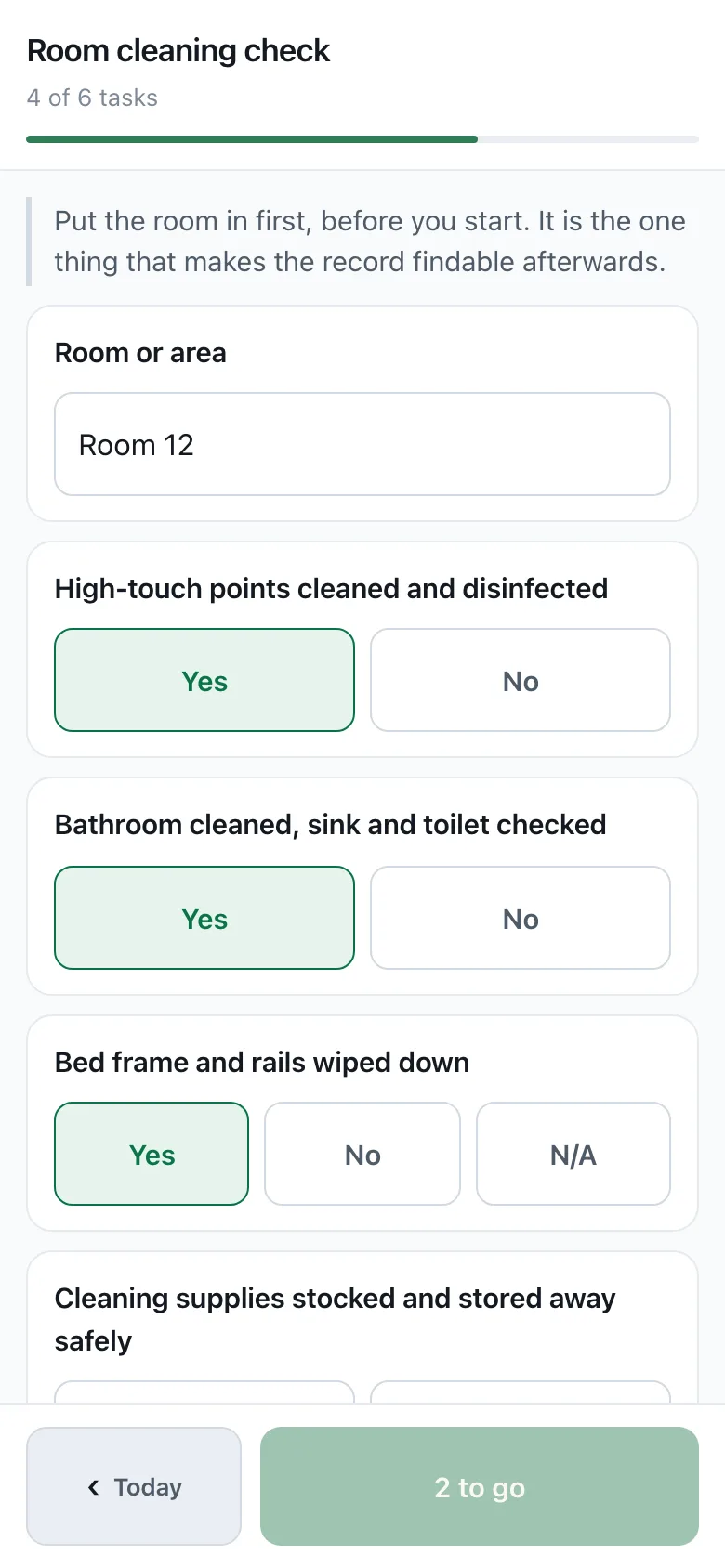
The board knows which rooms are in use, which are out and which are overdue. The Sluice is three days late, Room 6 two. A clean starts with the room number, because that is what makes the record findable a year later.
- Everyone on the roster can sign. The agency cleaner covering Tuesday picks their name and signs with a finger. No account, no email, no password, and no per-person charge however many of them there are.
- Their name goes on every answer. Not one signature at the bottom of the sheet. High-touch points, bathroom, bed frame: each line carries the name of whoever answered it.
Not everything happens every day
Some systems only think in days. But it’s the head chef’s monthly audit and the three-monthly deep tasks that actually get forgotten, because nothing puts them in front of anyone until they’re already late.
- Daily, weekly, monthly, three-monthly and yearly, each with its own window. A long round stays open across that window and shows how far through it you are
- Checks with no due time at all, for the things that just happen: a delivery arriving, a pan of stock cooling, a meal going out at a modified texture
- AI does the typing, never the deciding. It reads an allergen label from a photo, lifts the expiry date off a certificate, drafts a check from a sentence. A person reads it over, and only a person publishes, signs or deletes
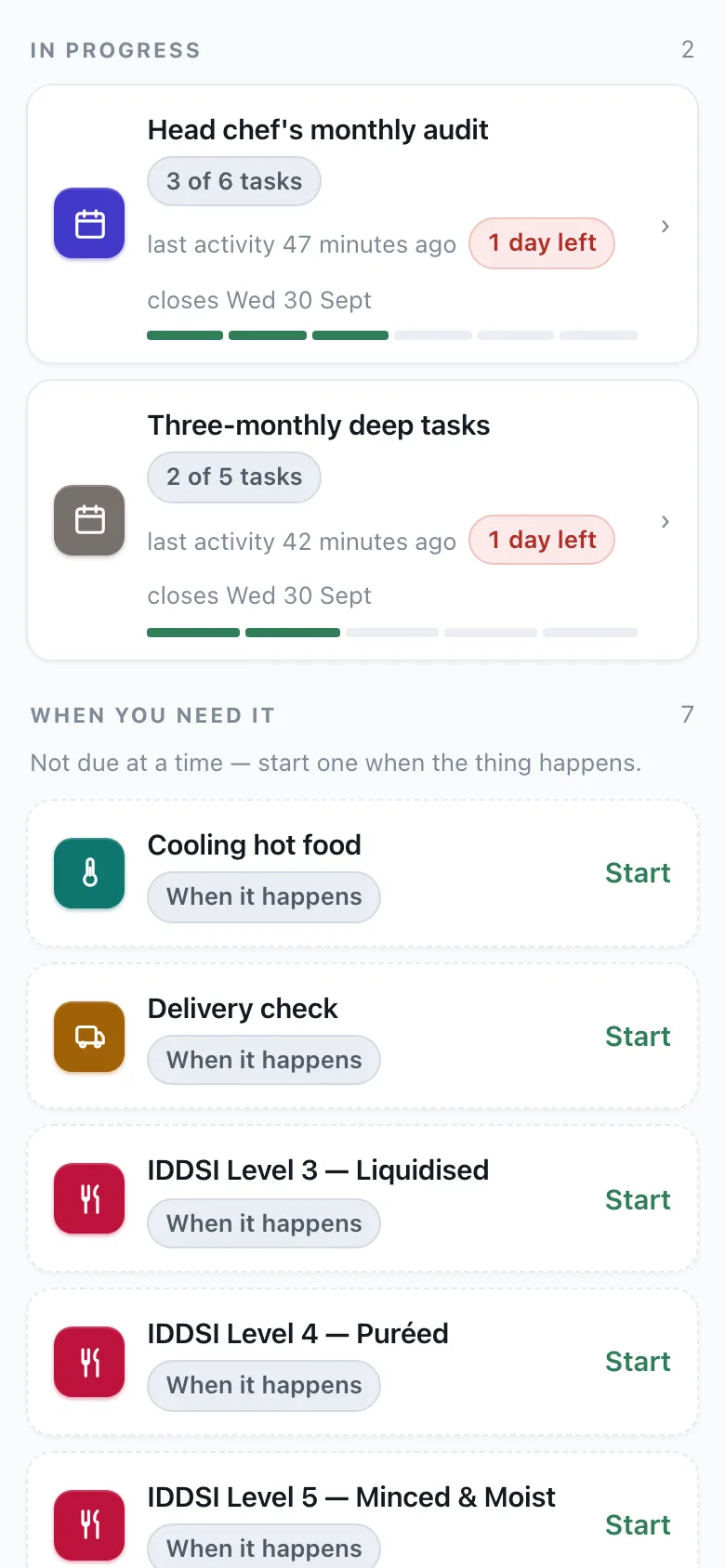
Today, further down. Both long rounds with a bar for how far through they are, then the checks with no due time at all.
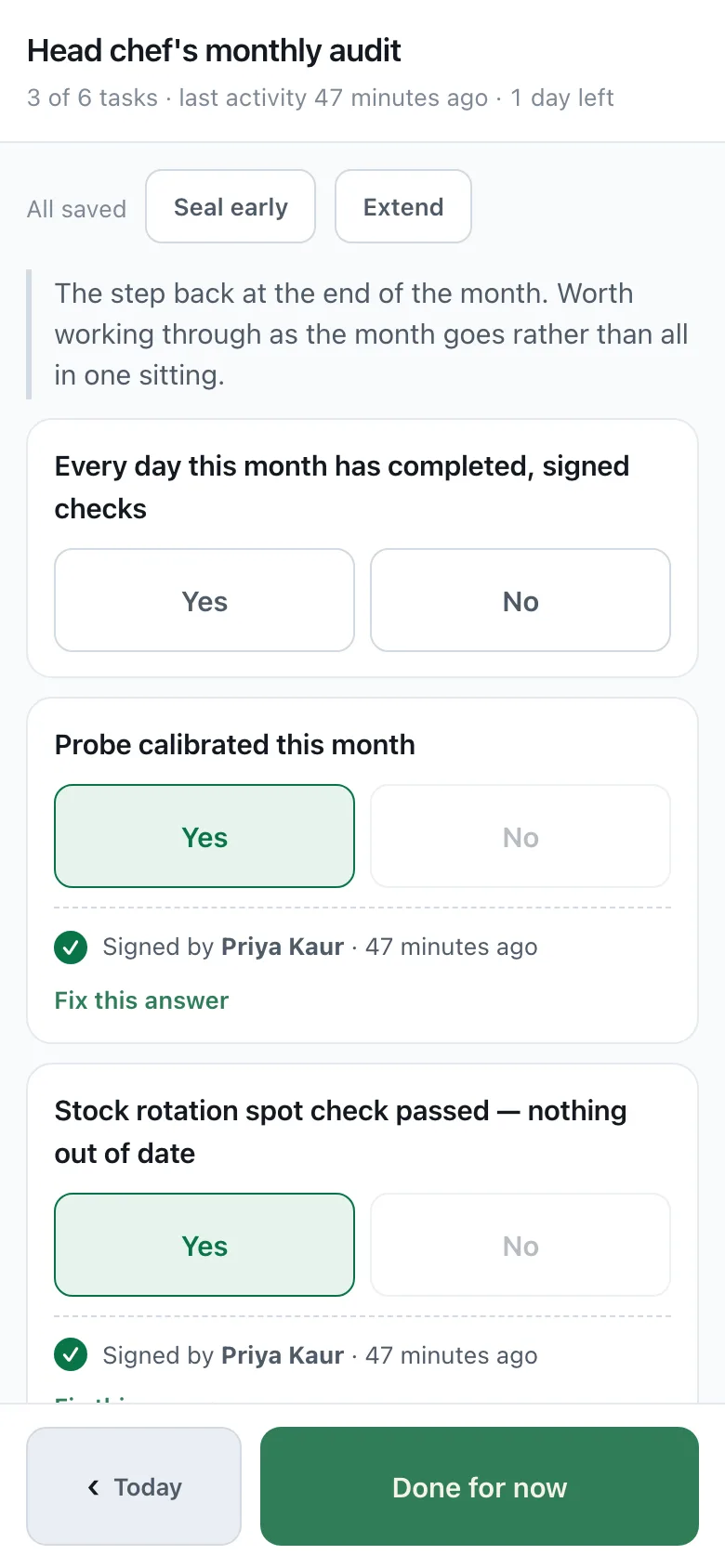
The monthly audit, open. Three of six done, a day left, and it says so at the top. Nobody has to hold it in their head.
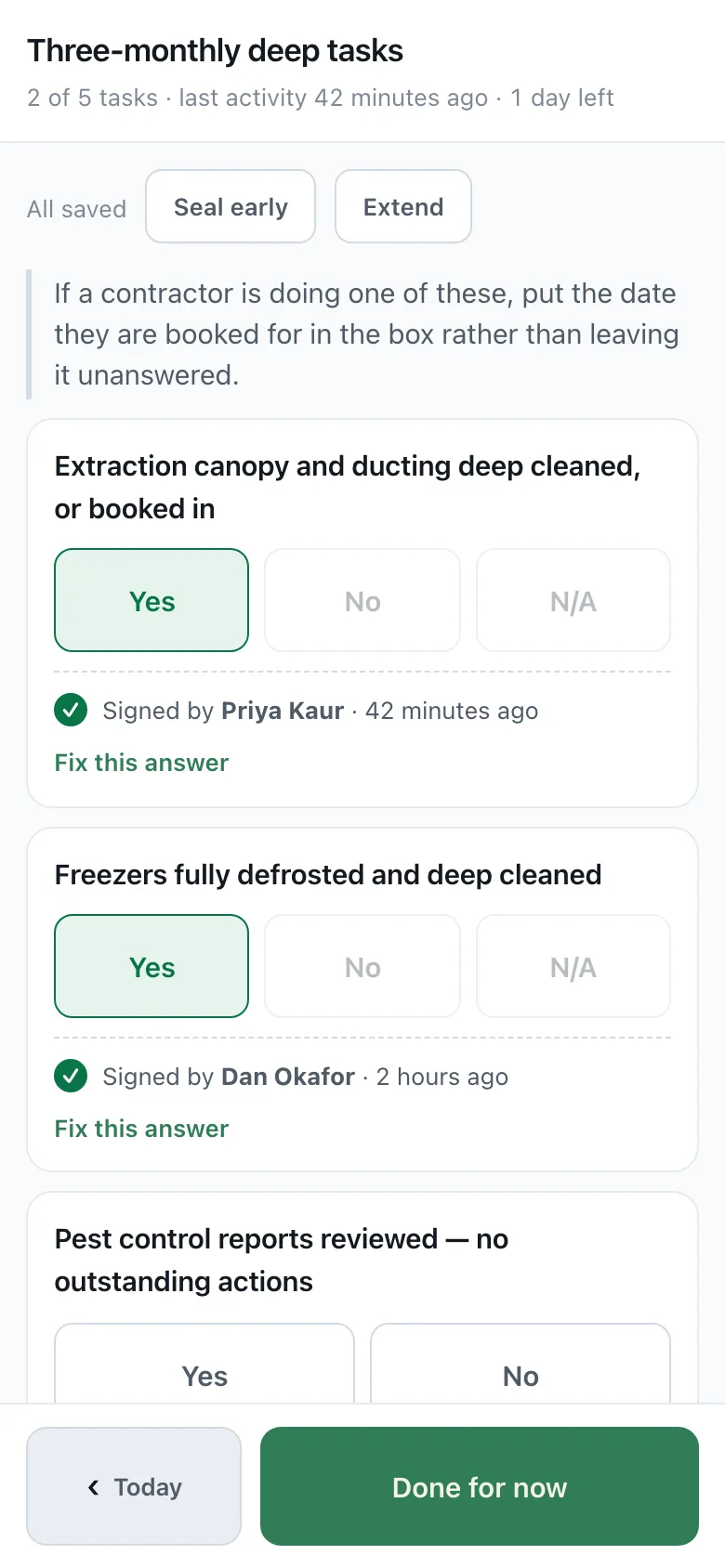
Priya signed the canopy clean, Dan signed the freezers. One long check, and each task carries the name of whoever did it.
The manager has all four teams on one screen
Nobody rang round and nobody walked the building. Four missed checks in the last seven days, one job overdue, two deep cleans late. They are named along the top, rather than left for somebody to find.
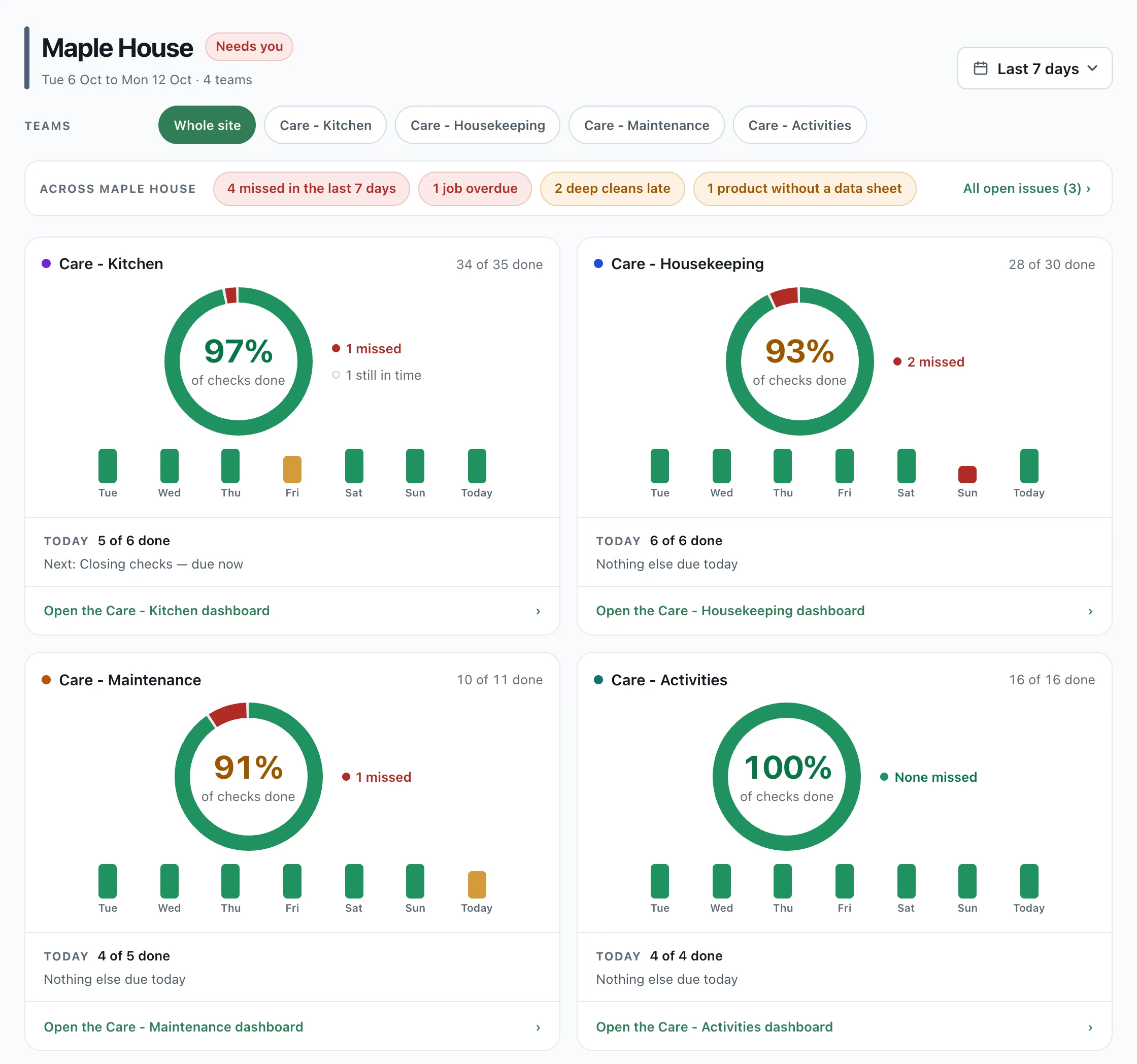
Today hour by hour, and a dashboard for each team. Open the same screens on a phone and they turn into a short list of what needs doing.
See the manager’s viewEvery check becomes a record you can open
Every one of those checks ends up here. This is a fridge round, the way TaskProof keeps it: its own id, the time it was done, the time it arrived, who signed it, and every reading underneath.
- Completed 17:34:18, reached TaskProof 17:36:45. Both times, on every record, because an inspector is entitled to see the gap
- Signed by Priya Kaur, head chef. The job title is frozen as it was on the day, and leavers stay on the records they signed
- A correction is a new entry on top. The original stays underneath with the name of whoever corrected it, and nobody can edit the trail. Not us either
- Search them, read them, print one. The audit pack is these, gathered up
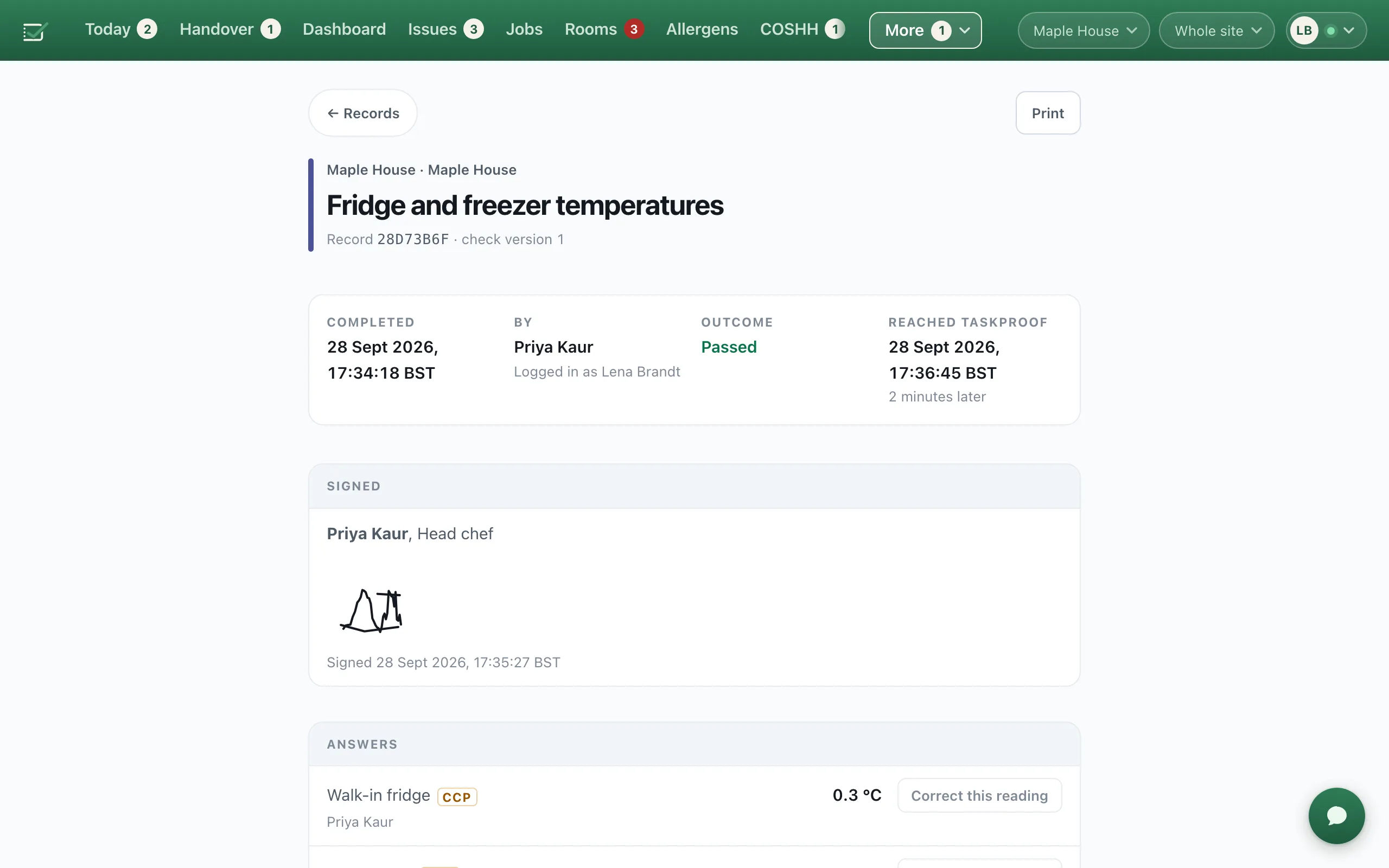
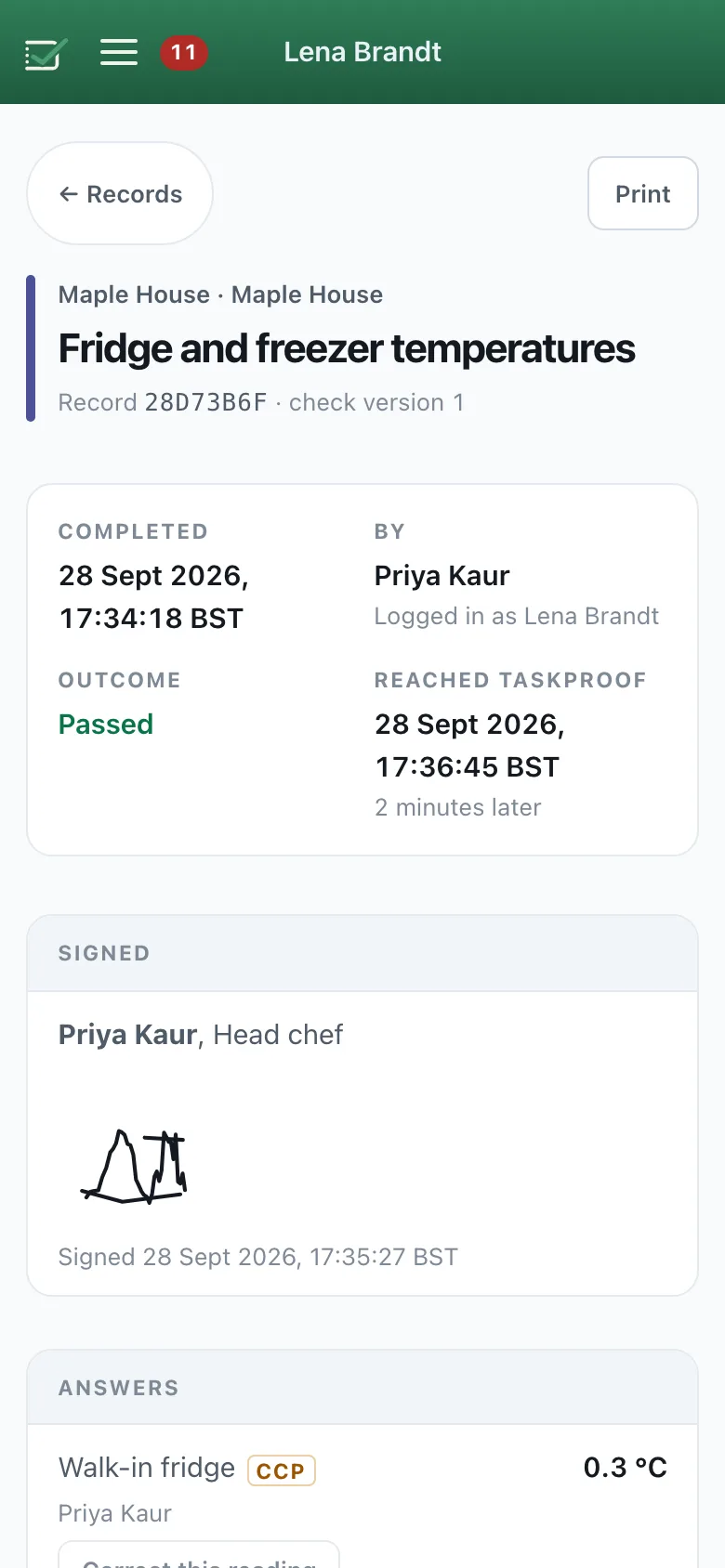
The record itself. Its own id, both times, the signature, and every reading underneath.
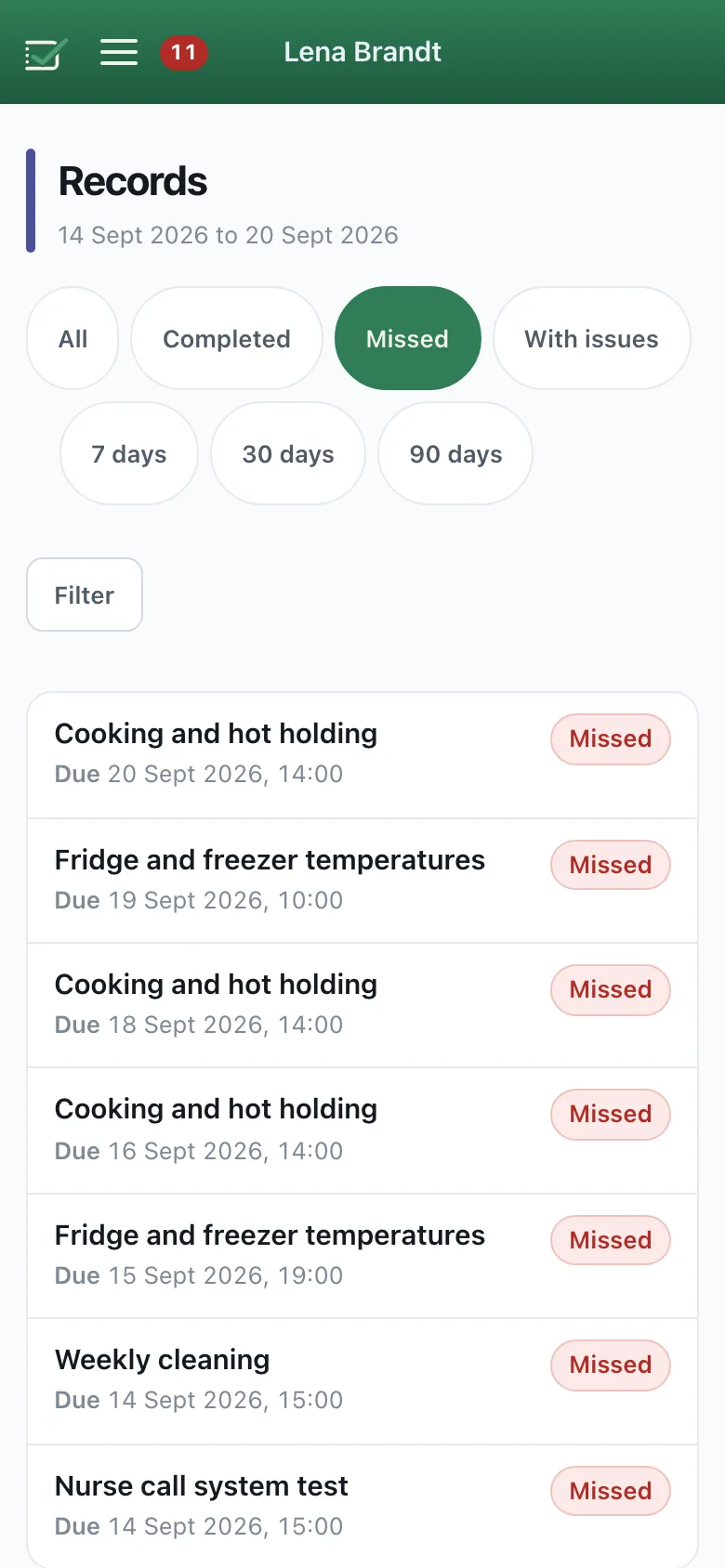
Filter to the ones nobody got to. Seven that week, and they don’t quietly disappear.
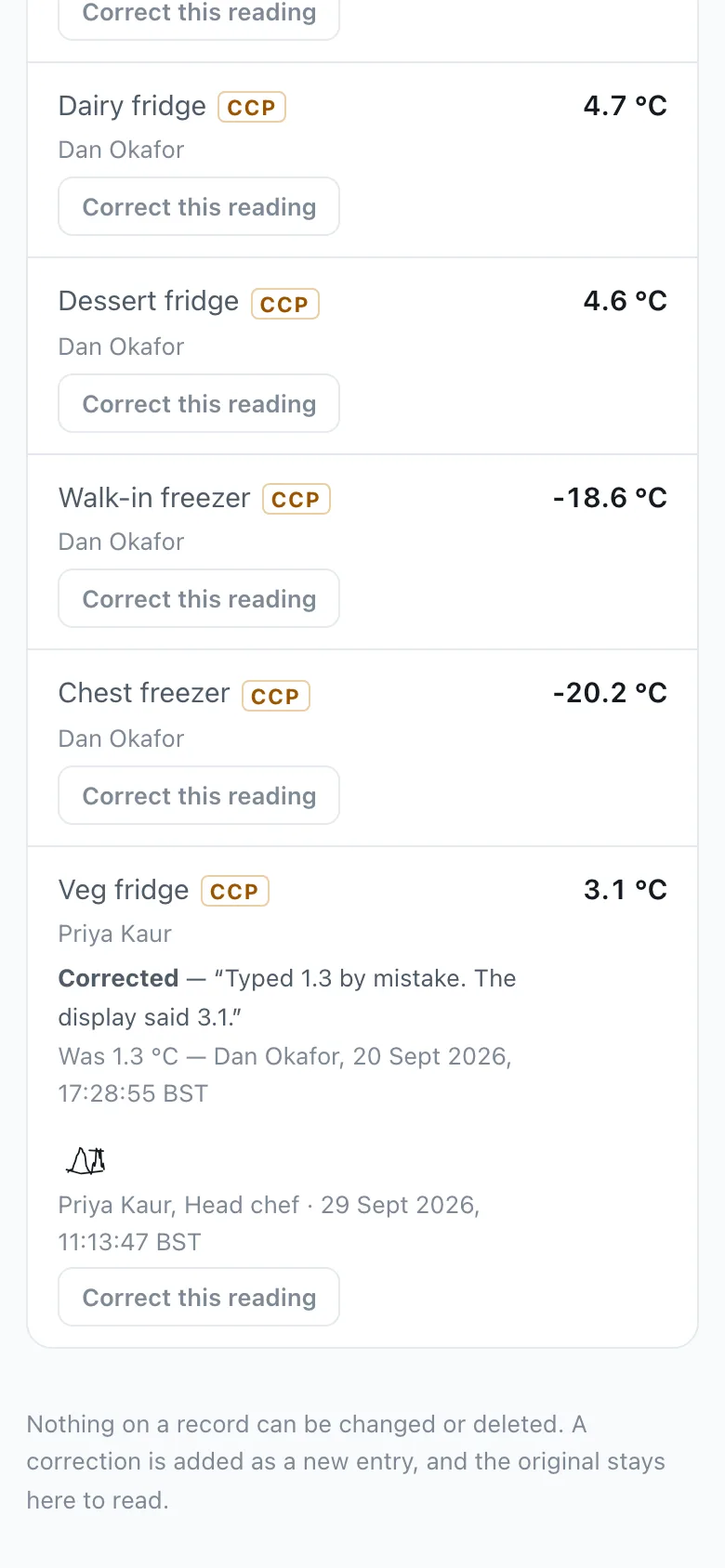
A correction is a new entry. The veg fridge reads 3.1°C now, and Dan’s original 1.3°C is still underneath it with his name on it.
Inspector here? One button.
Two inspectors, two questions, one export. The pack is built out of the records themselves, so it can’t disagree with them. Every pack gets a fingerprint the moment it is made, and we keep it. Check a copy against that and you know whether a single character has changed.
The EHO wants the food safety checks done on the day they were due, by a named person, with the fix written down whenever something was wrong.
CQC wants to know the home is safe and well-led, and that you can show it. Cleaning rounds, water temperatures, fire checks and a programme of activities that actually ran, signed and in date.
- One pack per team, so an inspector sees only the team they came for
- An activity log for “who changed this, and when?”
- Give the inspector their own read-only login if they’d rather
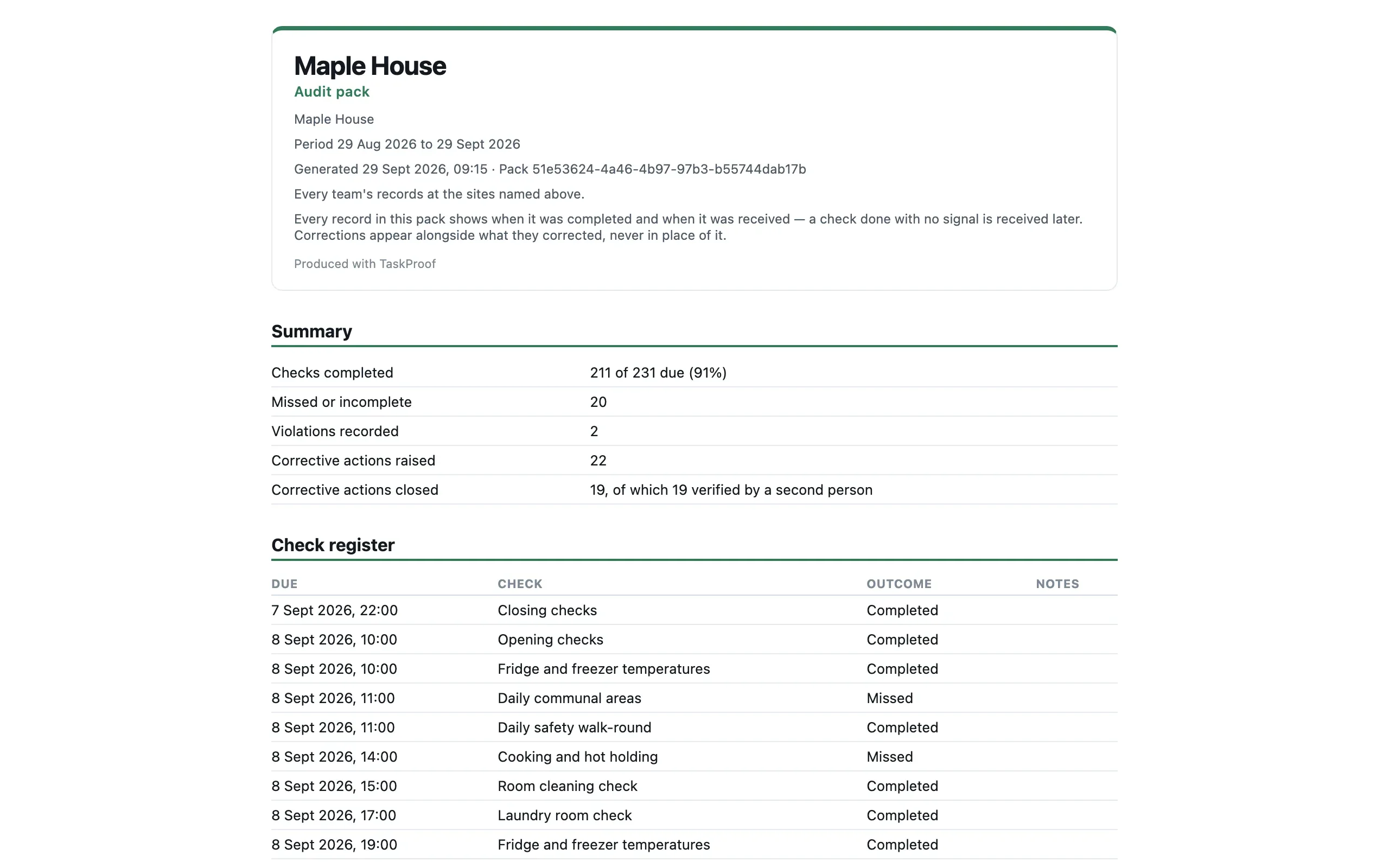
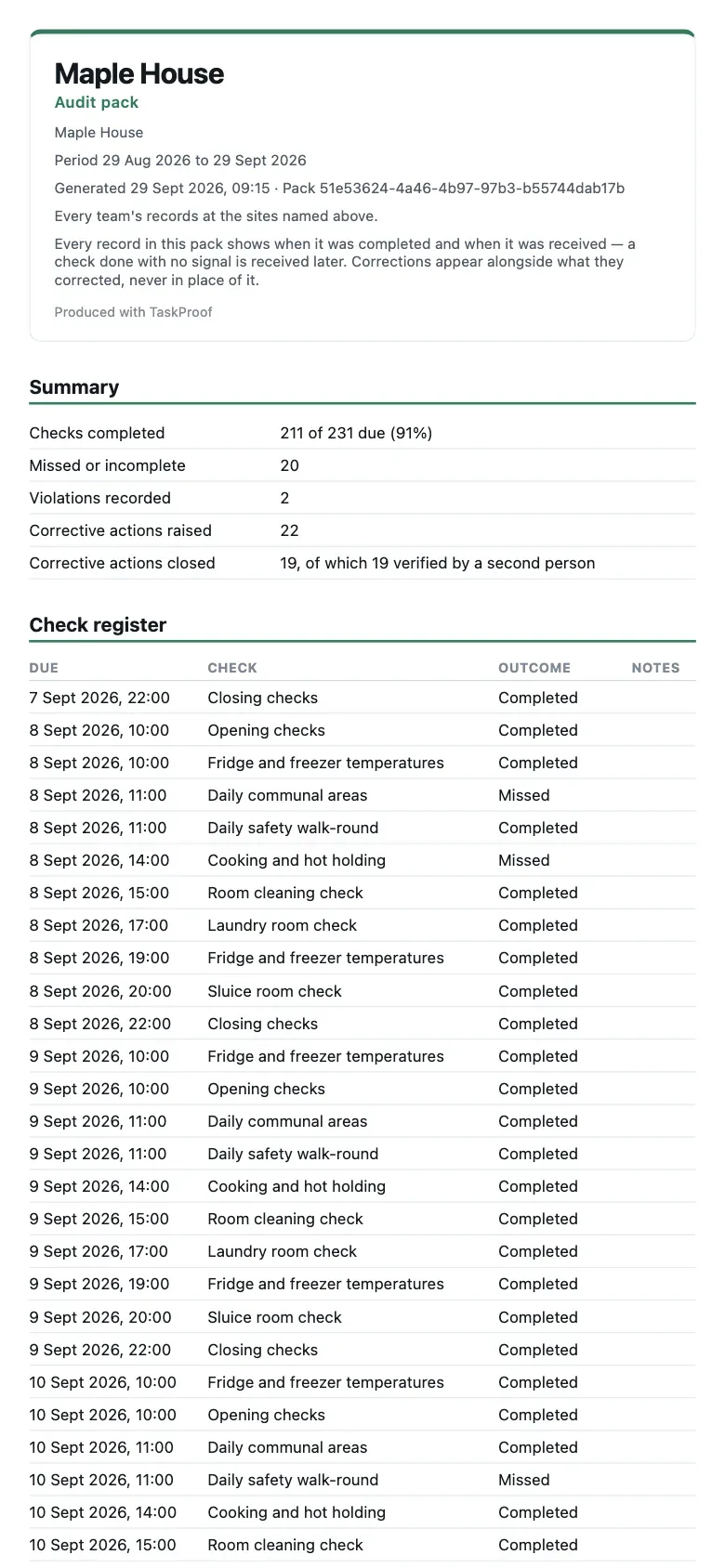
The pack itself. The cover with the period and its id, the summary of what was done and missed, then every check in the register.
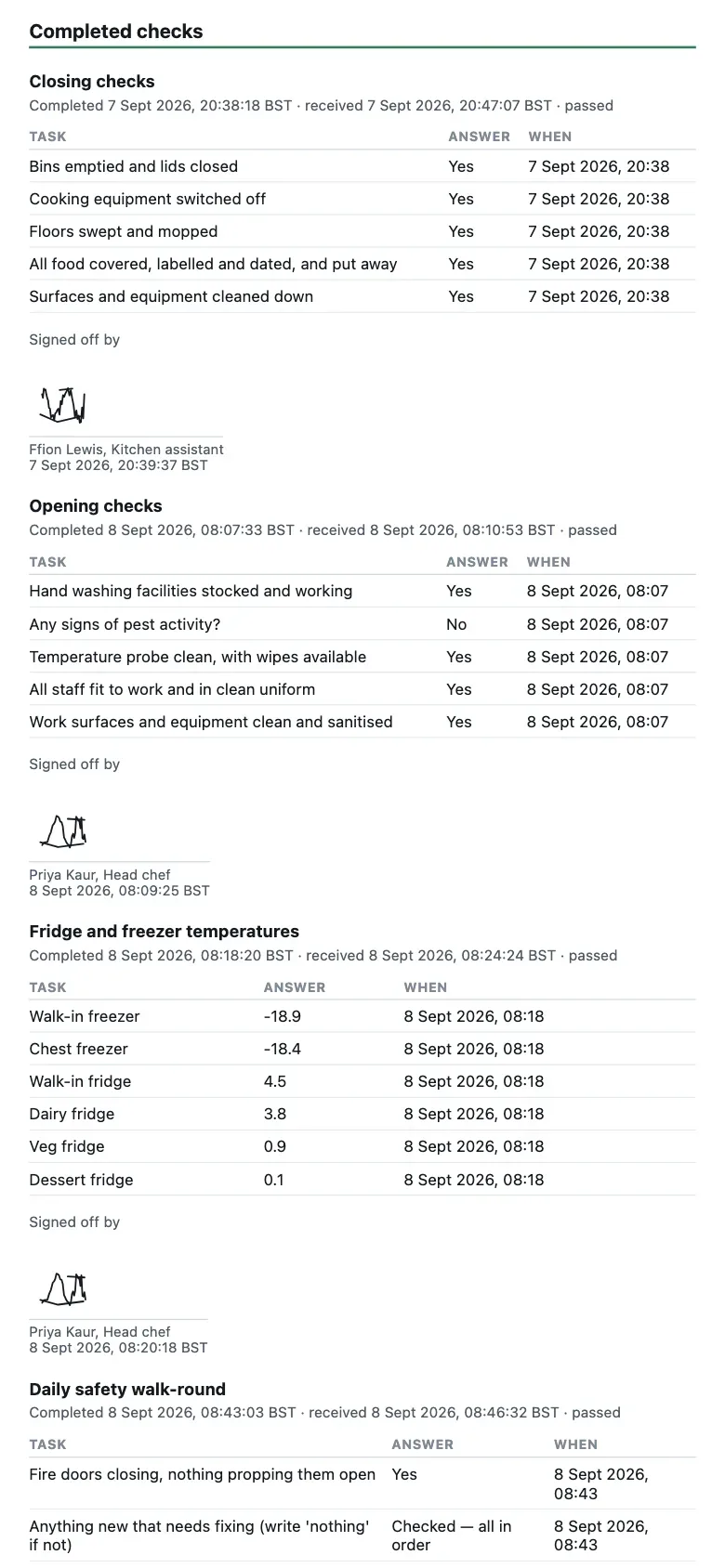
Every completed check, in full. Not a summary of them: the tasks, the answers given, and the signature each one was signed off with.
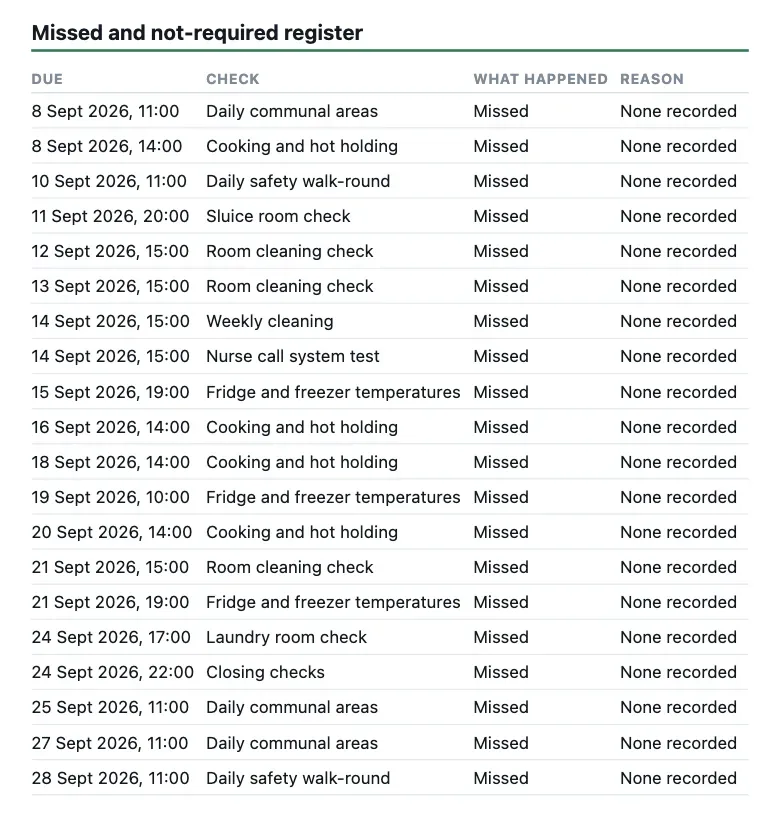
The misses are in there too. Twenty of them, listed with what was due and when. A pack that only showed the good days would be worth nothing.
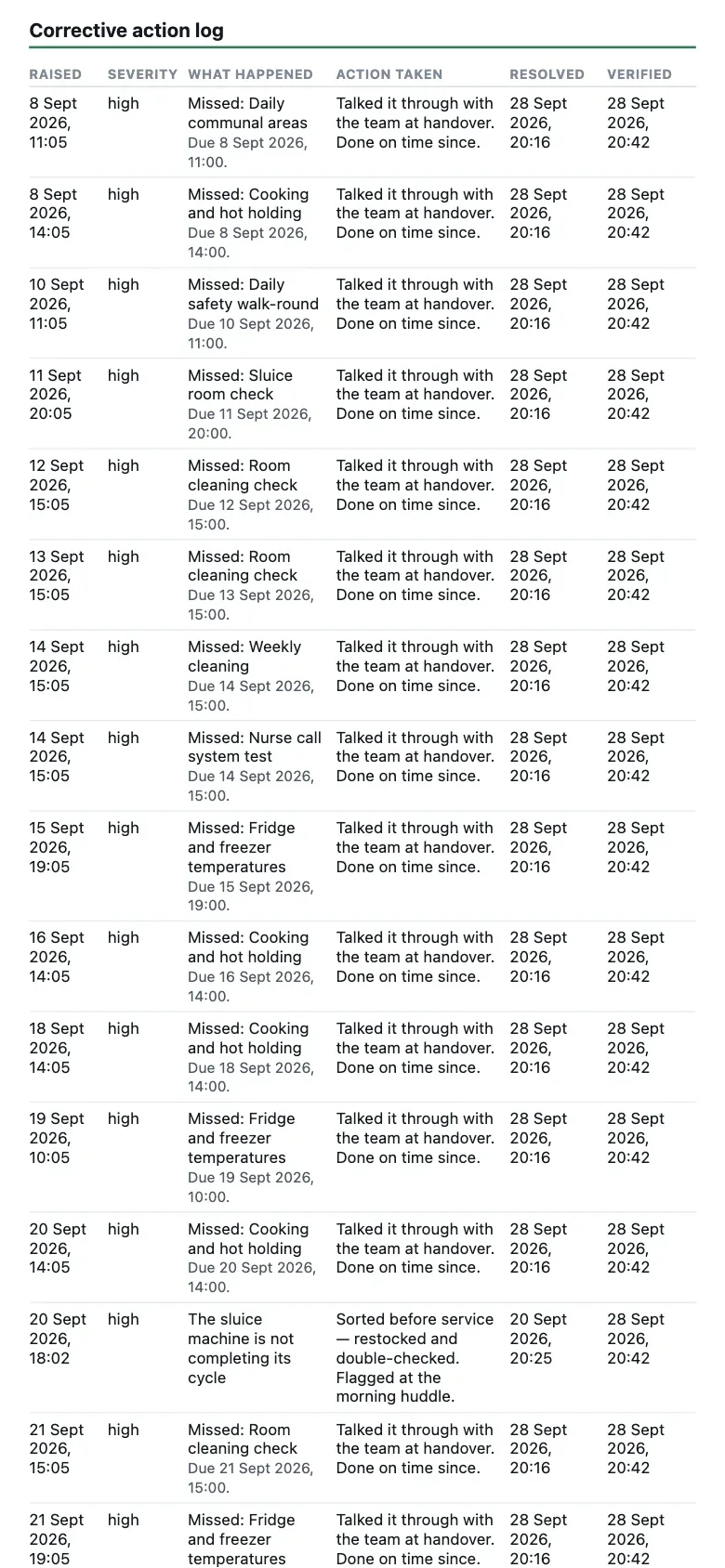
And what was done about them. Every miss raises an action: what happened, what you did, when it was closed, and when someone else checked.
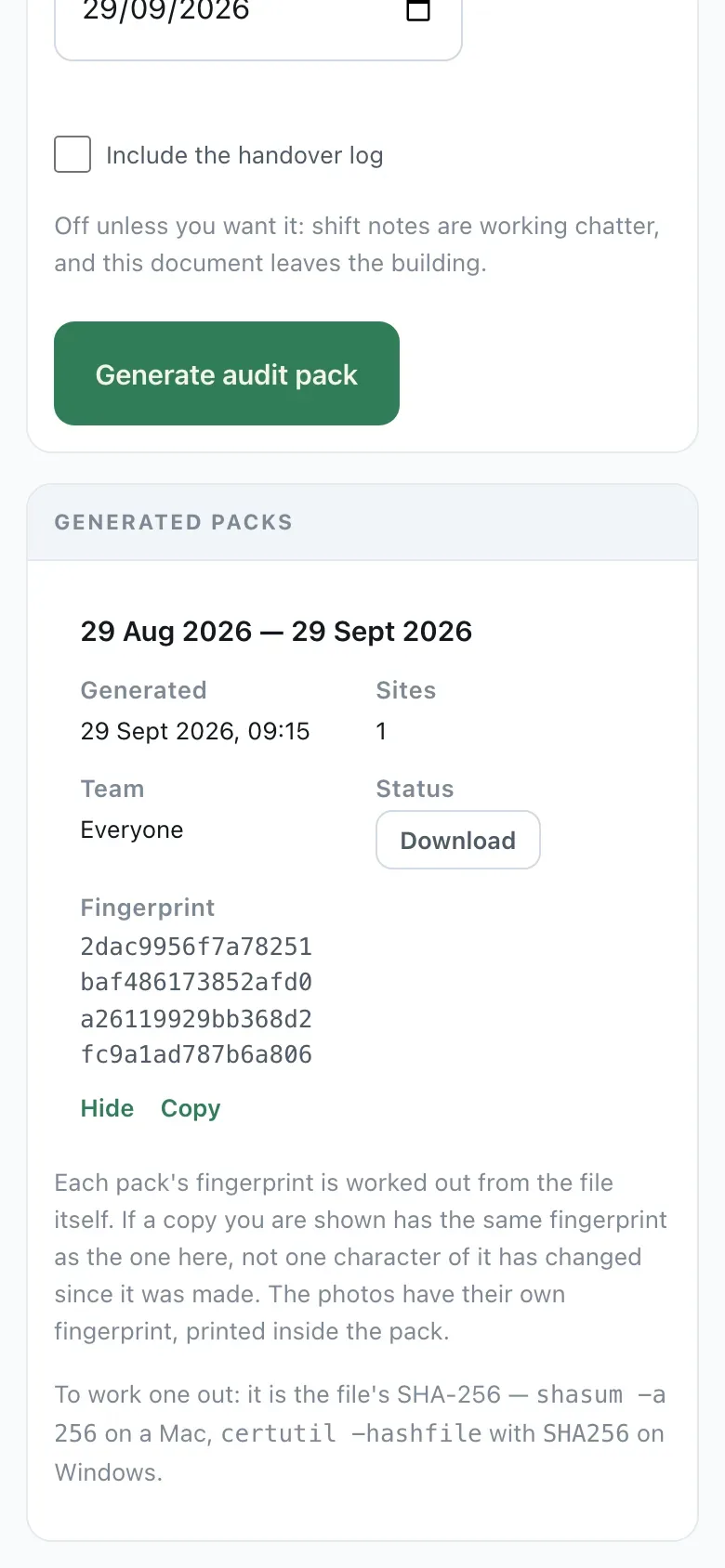
The fingerprint lives here, not in the file. Check the copy an inspector was handed against this one. Same fingerprint, same document.
From £35 per site, per month
Unlimited people on every plan, and the price is on the page rather than behind a call. If you ever leave, your records stay readable and still export.
Twenty minutes on a video call. We'll do a real round.
Tell us a bit about your home or your kitchen and we'll set up a call. You'll watch a round get done on a phone, see the record it leaves behind, and see what an inspector gets handed. Bring the awkward questions.
- You'll be talking to someone who has worked a care home kitchen, not a sales team
- We can set your own checks up on the call if you want
- No obligation, and nobody will chase you afterwards